
Customer Engagement Platform for Email, Push… - OneSignal
Analytics & TrackersDescription
The world's leader for mobile push notifications, web push, SMS, email and in-app messaging. Trusted by 2 million+ businesses to send 12 billion+ messages per…
Understanding the Service
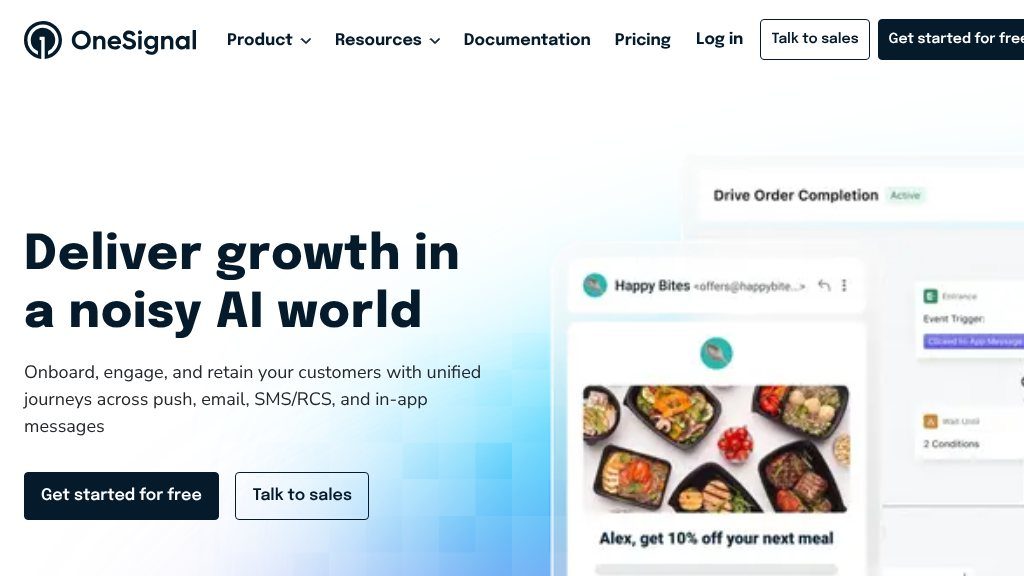
OneSignal is a customer engagement platform for coordinating lifecycle messaging across mobile push notifications, web push, email, SMS/RCS, and in-app messages. The website positions it around three connected goals: onboarding users, increasing ongoing engagement, and reducing churn through targeted journeys. That makes it broader than a standalone push notification tool, although push remains a prominent part of its offering.
The platform is presented as a shared environment for planning campaigns, triggering messages from user behavior, personalizing communication, and measuring outcomes. Visitors should verify the exact capabilities, channel availability, and pricing that apply to their use case, since the public overview does not provide a full feature or plan comparison.
Key Areas to Explore
Several parts of the service are particularly relevant when evaluating it:
- Cross-channel delivery: Teams can work with mobile and web push, email, SMS/RCS, and in-app messaging rather than managing each channel in isolation.
- Lifecycle journeys: OneSignal highlights welcome flows, engagement campaigns, win-back journeys, and other automated sequences intended to support users at different stages.
- Behavior-based messaging: The site describes real-time behavioral triggers and audience personalization for delivering more contextually relevant communication.
- Measurement: Analytics are positioned as a way to examine campaign performance and connect messaging activity with engagement and revenue outcomes.
- Developer integration: The website lists SDK support for Android, iOS, Flutter, React Native, Expo, and Unity, alongside documentation and implementation examples.
This combination may reduce the need to piece together separate messaging systems, but it also means teams should assess how much setup, data coordination, and channel governance will be required.
Strengths
- Supports mobile push, web push, email, SMS/RCS, and in-app messaging in one platform
- Includes lifecycle journeys, behavioral triggers, personalization, and analytics
- Lists SDK support for Android, iOS, Flutter, React Native, Expo, and Unity
- Covers onboarding, engagement, and retention workflows rather than only outbound notifications
Cons
- The public page does not provide enough detail to compare pricing or plan-specific limits
- Teams should verify channel availability, consent workflows, and reporting depth for their particular region and use case
- A broad multi-channel setup may require more audience-data coordination than a push-only implementation
Realistic Use Cases
OneSignal can suit product onboarding, feature announcements, re-engagement campaigns, transactional updates, and retention programs. Mobile apps may use push and in-app messages to encourage return visits, while publishers, ecommerce teams, and digital services could coordinate email, web push, and SMS communications. The platform’s usefulness will depend on the quality of a team’s audience data and the care taken to avoid over-messaging.
Who It Is For
The service appears most relevant to marketers, product teams, growth practitioners, and developers responsible for app or website engagement. Its multi-channel approach may appeal to organizations that want one lifecycle messaging layer, while smaller teams should confirm whether the available automation and analytics match their operational capacity.
What Comes Next
A sensible evaluation starts by mapping the channels, journeys, and events the business actually needs. From there, review the documentation for the relevant SDK or platform, test how audiences and triggers are configured, and confirm reporting, consent, deliverability, and plan details before committing to a broader rollout.
Embeds
Copy short script widgets for this listing. People often use Textfrog to search for their next personal or work tool. Encourage your community to leave reviews on Textfrog.
Review widget
A clean review badge with stars and review count.
Featured badge
A compact badge for products listed on Textfrog.
Featured Links
Setvo: your workouts, your progress, your space. with practical details for onli...
Eduify is an online education platform that provides tools and resources for lea...