
Kling AI Video Generator: Text-to-Video, Image Animation, and Motion Control
Ai Image & Video ToolsDescription
Create Kling AI videos online with text to video, image to video, and motion control.
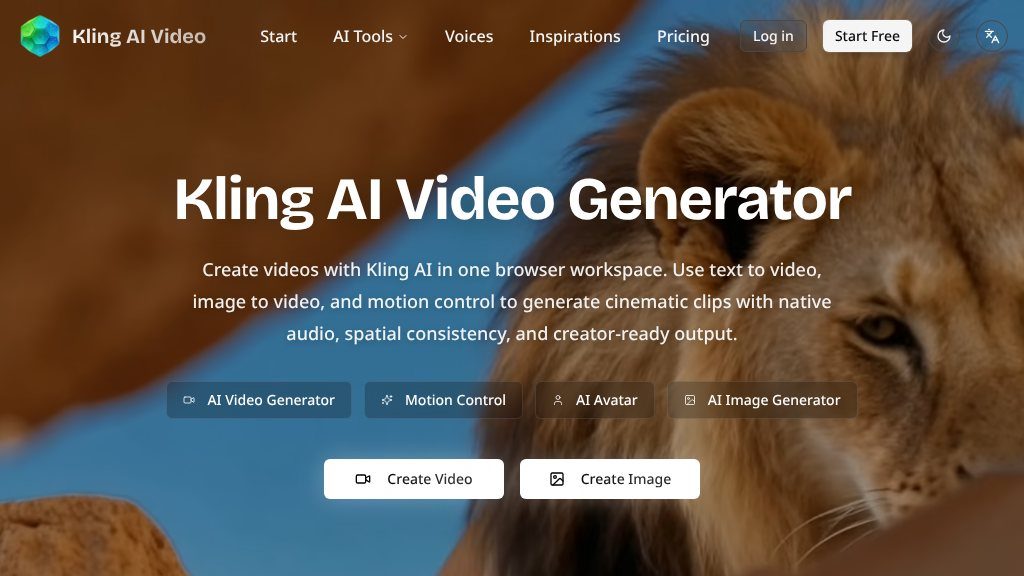
The Main Idea
Kling AI Video Generator is a browser-based workspace for creating AI-generated videos and images. The site brings together text-to-video, image-to-video, and motion-control tools, with Kling presented as the central video model alongside alternatives such as Veo, Wan, and Seedance. The visible interface also includes image-generation options from models including GPT Image, Flux, Nano Banana, and Seedream.
The product is aimed at prompt-driven creation rather than traditional timeline editing. Visitors can start with a written scene description, upload a still image for animation, or provide a character image and reference video for motion transfer. The page states that Kling supports native audio generation, spatial consistency, multi-shot sequences, several output modes, and clips ranging from 3 to 15 seconds depending on the selected model and settings.
What Visitors Can Explore
The main video workflows are clearly separated:
- Text to video: Generate short clips from natural-language prompts, with options shown for aspect ratio, model, enhancement, and output quality.
- Image to video: Animate a still image while attempting to preserve subject placement, lighting, perspective, and overall spatial structure.
- Motion control: Transfer movement from a reference video to a character image. The page describes full-body synchronization, detailed hand movement, and up to 30 seconds of continuous output in one orientation mode.
- Model comparison: Try other video and image engines from the same browser workspace rather than switching between separate services.
A gallery of generated videos and images provides examples and reusable prompts, although visitors should treat those examples as demonstrations rather than guaranteed results.
Strengths
- Combines text-to-video, image-to-video, motion control, and image generation in one browser workspace
- Offers model choices including Kling, Veo, Wan, Seedance, GPT Image, Flux, and Seedream
- Provides motion-transfer workflows with reference video support and described full-body synchronization
- The page presents native audio generation and spatial-consistency features for Kling video creation
Cons
- Pricing, plan limits, queue behavior, and export specifications are not clear from the supplied page evidence
- The visible product emphasizes generation and comparison rather than a full timeline-based editing workflow
- Commercial-use and watermark-free claims should be verified against current licensing terms and model-specific conditions
Potential Uses
The advertised workflows could suit social clips, concept development, character animation, music-video ideas, product demonstrations, storyboards, and visual experimentation. Motion control may be particularly relevant for choreography, martial arts, sign-language references, or other performance-led sequences. Image generation adds a way to create source artwork before animating it.
The page also states that output is watermark-free and intended for commercial uses such as advertising and client deliverables. That is an important claim to verify against the current terms, licensing conditions, and the specific model selected before using results professionally.
Audience and Fit
This site may appeal to creators who want a single online starting point for experimenting with AI video models without installing software or managing a local GPU. It is less clearly suited to users seeking advanced editing, detailed project management, or a conventional post-production suite; the supplied evidence focuses on generation rather than editing controls.
Before You Rely on It
The page shows a credit-based generation reference, but the available evidence does not establish pricing, plan limits, queue behavior, export details, or retention policies. Model capabilities and output quality may also vary by mode and prompt. Before committing to a production workflow, check current costs, commercial rights, resolution limits, privacy terms, and whether the exact audio and motion features are available on the plan you need.
Overall, Kling AI Video Generator is worth investigating if text-to-video, image animation, motion transfer, and multi-model comparison are your priorities. Visitors needing predictable production controls should evaluate a few sample generations and confirm the service terms first.
Embeds
Copy short script widgets for this listing. People often use Textfrog to search for their next personal or work tool. Encourage your community to leave reviews on Textfrog.
Review widget
A clean review badge with stars and review count.
Featured badge
A compact badge for products listed on Textfrog.
Similar Tools
MangaTranslate أداة لترجمة نصوص المانجا داخل الصور...
Free online AI image cleaner: remove objects, people, text, and watermarks in yo...
Stop storyboarding. with practical details for online visitors.
Drop your brand, product photos, and website. with practical details for online ...
Featured Links
Setvo: your workouts, your progress, your space. with practical details for onli...
Eduify is an online education platform that provides tools and resources for lea...