
Qwen Chat: Your AI Assistant for Image, Video, and More
Chatbots & AssistantsDescription
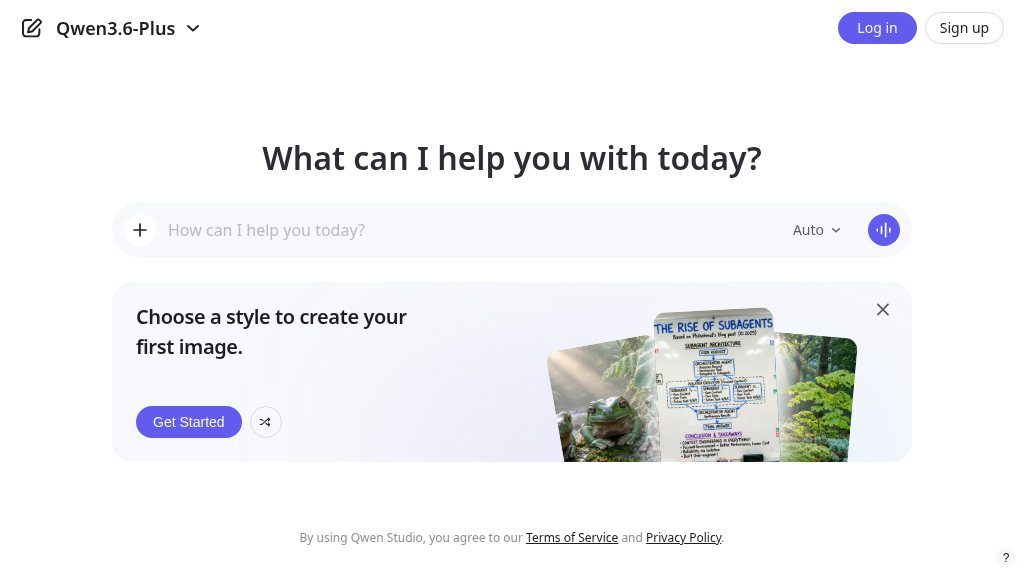
Qwen Chat offers comprehensive functionality spanning chatbot, image and video understanding, image generation, document processing, web search integration, tool utilization, and artifacts.
The Main Idea
Visitors comparing AI assistants are usually trying to decide whether one workspace can handle more than text chat. Qwen Chat is positioned for that broader use case. Available at chat.qwen.ai, it combines conversational assistance with image and video understanding, image generation, document processing, web search integration, tool utilization, and artifact creation.
That range makes the service worth examining for people who regularly move between written questions, visual material, files, and web-based research. It is better understood as a multimodal AI workspace than as a chatbot limited to typed prompts.
What Visitors Can Explore
The central experience is a chatbot interface for asking questions, developing ideas, and working through tasks in natural language. Around that core, the listed capabilities suggest several ways to extend a session:
- Visual analysis: Image and video understanding can support questions about supplied visual content, although the exact supported formats and limits should be checked on the live service.
- Image creation: Image generation allows visitors to explore visuals from written descriptions.
- File-based work: Document processing may be useful for reviewing, summarizing, or extracting information from uploaded material.
- Web-assisted research: Web search integration is intended to bring search into the assistant workflow; visitors should verify how sources are presented and how current results are.
- Additional outputs and actions: Tool utilization and artifacts indicate support for working beyond a simple chat transcript, though the available tools and artifact types are not detailed in the supplied information.
Strengths
- Combines chatbot, visual understanding, image generation, document processing, search, tools, and artifacts in one listed service
- Supports work across text, images, videos, and documents rather than focusing on chat alone
- Web search integration may help bring online research into the assistant workflow
Cons
- The supplied information does not detail supported file types, tool availability, artifact formats, or usage limits
- The visible page reports that the current system does not support the app, so device compatibility should be verified
- Visitors should confirm how web results are sourced and presented before relying on the service for important research
Potential Uses
A student or researcher could use the platform as a starting point for organizing document-based questions and exploring related online information. Content teams may find the combination of text assistance, visual understanding, and image generation useful during early ideation. For general users, the appeal is convenience: several AI-oriented tasks are gathered under one service rather than separated across specialist tools.
These are practical areas to investigate, not guaranteed outcomes. The quality of results will depend on the input, the specific model or mode selected, and the platform’s current limits.
Audience and Fit
Qwen Chat may suit users looking for a single interface that supports text, images, videos, documents, and search-oriented work. It could be less suitable for visitors who need a narrowly defined specialist tool, detailed workflow controls, or clearly documented integrations before committing to a process.
Before You Rely on It
The visible page includes Log in and Sign up options, along with a Qwen app download prompt. It also states that the current system does not support the app and that compatibility work is ongoing. Visitors should therefore check browser and device compatibility, account requirements, privacy terms, file handling, search behavior, and the precise availability of each advertised capability before using it for important work.
A sensible next step is to test a representative prompt, document, and visual task on the live site, then compare the results and workflow against more specialized alternatives.
Embeds
Copy short script widgets for this listing. People often use Textfrog to search for their next personal or work tool. Encourage your community to leave reviews on Textfrog.
Review widget
A clean review badge with stars and review count.
Featured badge
A compact badge for products listed on Textfrog.
Similar Tools
The top uncensored AI models - chat, generate, media, voice, API & more. with pr...
Rork builds complete, production-ready mobile apps from your description using A...
You describe the problem. Rocket researches the market, recommends what to build...
A cloud computer where AI agents run your company. Connect 3,000+ tools, configu...
Featured Links
Eduify is an online education platform that provides tools and resources for lea...