
Ray 3.2 AI Video Generator: Frame-Level Video Creation and Editing Online
Ai Image & Video ToolsDescription
Stop storyboarding. with practical details for online visitors.
Why It Stands Out
Ray 3.2 sits within the AI image and video tools category, a fast-changing area focused on generating, editing, and adapting visual content through prompts and reference media. These tools matter because they can shorten the distance between an idea and a usable video draft, while also helping teams create multiple formats from existing footage. The practical question is not simply whether a model can produce attractive clips, but how much control it offers over motion, timing, composition, and later production work.
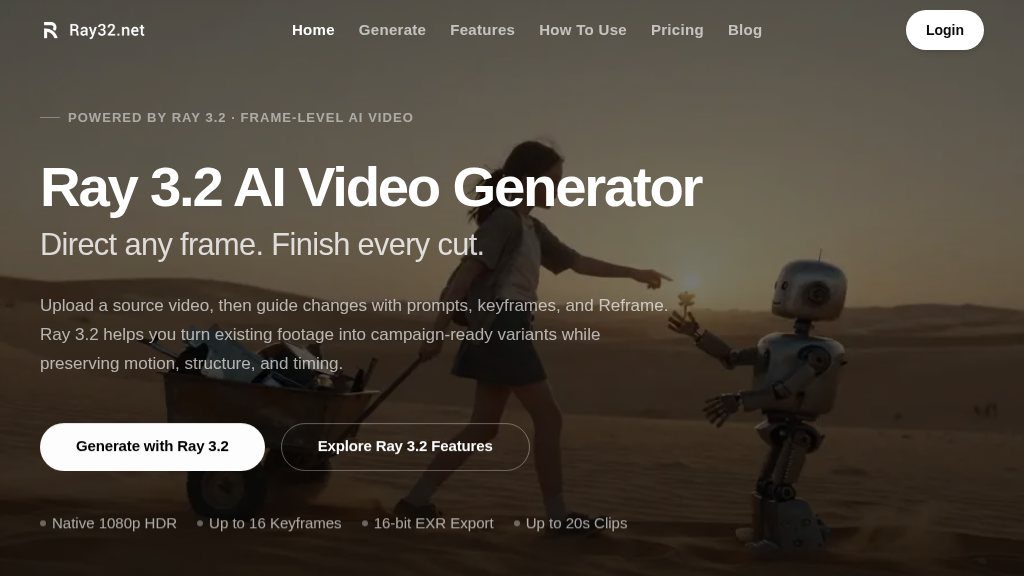
This service presents Ray 3.2 as a browser-based video generator with four workflows: text to video, image to video, video editing, and reframing. That makes it relevant to both new creations and variations of footage that already exists.
How It Can Be Used
The text-to-video workflow creates 5- or 10-second clips from scene descriptions, with selectable aspect ratios and output resolutions up to 1080p. Image-to-video can animate JPG, PNG, or WEBP references, while support for up to 16 keyframes provides more direction than a single prompt alone.
The video-editing workflow is aimed at preserving a source performance while changing visual elements such as environments, lighting, clothing, or products. The page states that it supports clips up to 20 seconds at 1080p and tracks up to eight faces. Reframe is intended for adapting existing footage to formats including 9:16, 16:9, 1:1, 4:3, and 21:9, using scene-aware fill rather than simply cropping the original.
Strengths
- Four workflows cover text generation, image animation, video editing, and aspect-ratio reframing
- Up to 16 keyframes provide more precise control over changes within a clip
- Native 1080p HDR and 16-bit EXR export may suit grading and compositing workflows
- Browser access and stated API availability support both individual and pipeline-based use
Cons
- Credit pricing, plan limits, and access conditions are not explained in the supplied page evidence
- Generated clips remain relatively short, with text-to-video and image-to-video limited to 5 or 10 seconds
- The available information does not establish consistent final-output quality for every scene or production use case
Important Details
Native 1080p output, HDR generation, and 16-bit EXR export could be useful for creators who expect to continue work in grading, compositing, or editing software. The page specifically references ACES2065-1 output and workflows involving tools such as Nuke and DaVinci Resolve. It also states that Ray 3.2 is available through the Luma API and lists creative platforms including Adobe, Freepik, Fal.ai, Comfy, Lovart, Envato, Runware, and Weavy.
The online interface does not appear to require a download or local GPU. It displays a 45-credit generation option, but the supplied information does not explain credit pricing, plan limits, or whether all listed capabilities are available under the same access terms.
Evaluation Notes
The strongest case for this tool is controlled video variation: keyframes, motion-preserving edits, reframing, and production-oriented exports give it a broader role than a basic prompt-to-clip generator. However, visitors should verify generation costs, queue or usage limits, export availability, and how consistently the model handles complex scenes before relying on it for finished campaign work.
Overall, Ray 3.2 appears well suited to concept development, social-format adaptation, product variations, and early production workflows. The evidence supports meaningful creative control, but not a guarantee of final-shot quality or predictable commercial economics.
Embeds
Copy short script widgets for this listing. People often use Textfrog to search for their next personal or work tool. Encourage your community to leave reviews on Textfrog.
Review widget
A clean review badge with stars and review count.
Featured badge
A compact badge for products listed on Textfrog.
Similar Tools
Drop your brand, product photos, and website. with practical details for online ...
Create with an AI video maker for text, images, and clips. with practical detail...
Gumo is your AI co-pilot for turning Reels, Shorts, links, and images into colla...
The all-in-one AI platform for image and video creation. Generate, upscale, rest...
Featured Links
Eduify is an online education platform that provides tools and resources for lea...