

ServerDrop: Discover Discord Servers by Category and Swipe to Join
Games DiscoveryDescription
Discover Discord servers worth joining. with practical details for online visitors.
A Closer Look
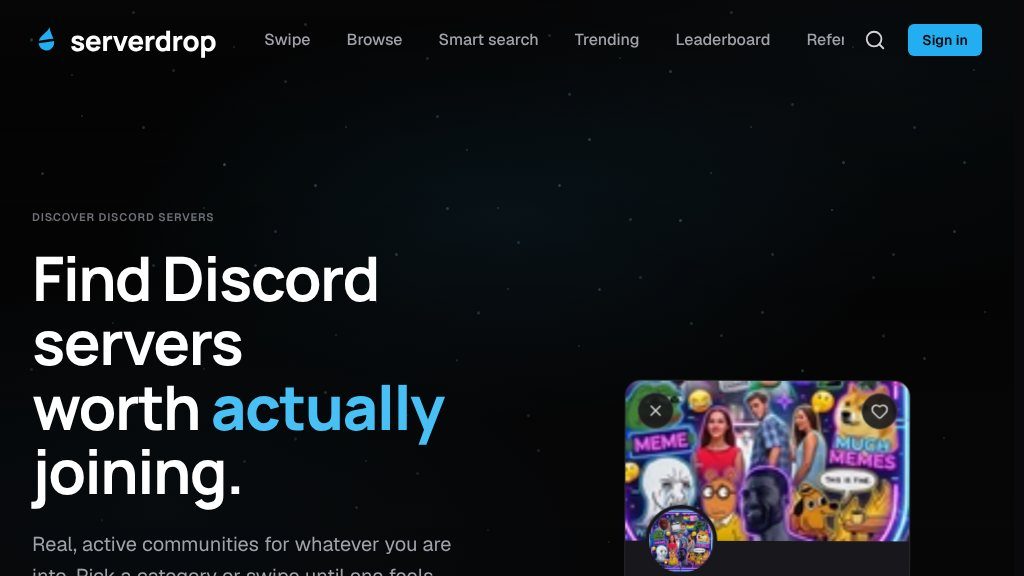
ServerDrop sits within the gaming and esports discovery space, with a broader focus on finding online communities rather than games themselves. That distinction matters because Discord server directories can help visitors move beyond familiar groups and discover communities organized around shared interests, social interaction, or gaming-related topics. Instead of relying only on a traditional list, the site presents servers in a swipe-oriented browsing experience.
The visible catalog includes categories such as Community, Chill, Hangout, Gaming, Active, Friendly, Social, and Anime. ServerDrop states that its directory contains 16 categories and is updated daily, while the displayed category counts indicate that the catalog covers more than gaming alone.
Core Offering
The main experience is a directory of Discord servers with practical details for prospective members. A sample listing shows a server name, a member count, activity status, and descriptive tags such as chats or giveaways. Visitors can browse these details before deciding whether a community is worth opening.
The interface supports dragging, tapping, or using arrow keys to move through server cards. A rightward choice is intended to lead to the server’s Discord invite, while a leftward choice passes on the current listing. This creates a simple alternative to scanning a long directory page, particularly for visitors who prefer quick comparisons.
ServerDrop also provides a way for Discord server owners to list a server for free or add the site’s bot, based on the visible page. The available evidence does not explain the bot’s permissions, moderation functions, or listing requirements, so owners should review those details before proceeding.
Strengths
- Swipe-based browsing offers a quick alternative to scanning a conventional server list.
- Listings can include member counts, activity status, and descriptive tags.
- The directory spans 16 categories and includes both gaming and broader social interests.
- Server owners can list a server for free according to the visible page.
Cons
- The available information does not explain how servers are verified, ranked, or screened.
- Listing details appear limited, so visitors may need to assess rules, moderation, and current activity inside Discord.
- The scope and permissions of the optional Discord bot are not explained in the visible evidence.
Practical Workflows
For a visitor, the stated process has three steps: sign in with Discord, choose or browse categories, and open an invite after selecting a server. The site says it reads a user’s Discord identity and does not post or message on the user’s behalf. Even so, visitors should review the authorization screen and privacy information presented during sign-in before granting access.
A practical approach is to begin with a focused category, inspect the member count and labels shown on each card, and then evaluate the destination community inside Discord. Those signals can narrow the search, but they do not replace checking a server’s rules, moderation standards, recent activity, or overall fit after joining.
Best-Fit Users
The directory may suit people looking for new Discord communities, especially users who want a more visual discovery method or who are unsure which categories to search. It may also be useful to server owners seeking an additional place to present their community. Visitors looking for detailed reviews, advanced filtering, or verified measures of server quality may need to supplement the directory with their own research.
Balanced Takeaway
ServerDrop offers a focused way to discover Discord servers through categories and swipe-based browsing. Its usefulness comes from combining basic listing information with direct invite access, while its limitations are the limited evidence about ranking methods, moderation checks, and the depth of server information. The sensible next step is to compare several listings, inspect Discord permissions and community rules, and treat the directory’s labels as starting points rather than guarantees.
Embeds
Copy short script widgets for this listing. People often use Textfrog to search for their next personal or work tool. Encourage your community to leave reviews on Textfrog.
Review widget
A clean review badge with stars and review count.
Featured badge
A compact badge for products listed on Textfrog.
Similar Tools

Get ahead of GTA VI with sourced guides to release dates, roleplay, servers, mod...
Use this random Pokemon generator to create 1, 3, or 6 Pokémon by generation an...
Play the ultimate social deduction word game online. with practical details for ...
Explore the Dear Passengers game, including its 2026 release window, co-op gamep...
Featured Links
Eduify is an online education platform that provides tools and resources for lea...