
SheetTutor: Practical Excel Lessons, Examples, and Interactive Practice
Courses & CertificationsDescription
Solve everyday Excel tasks with working examples, visual explanations, and interactive practice. with practical details.
Understanding the Service
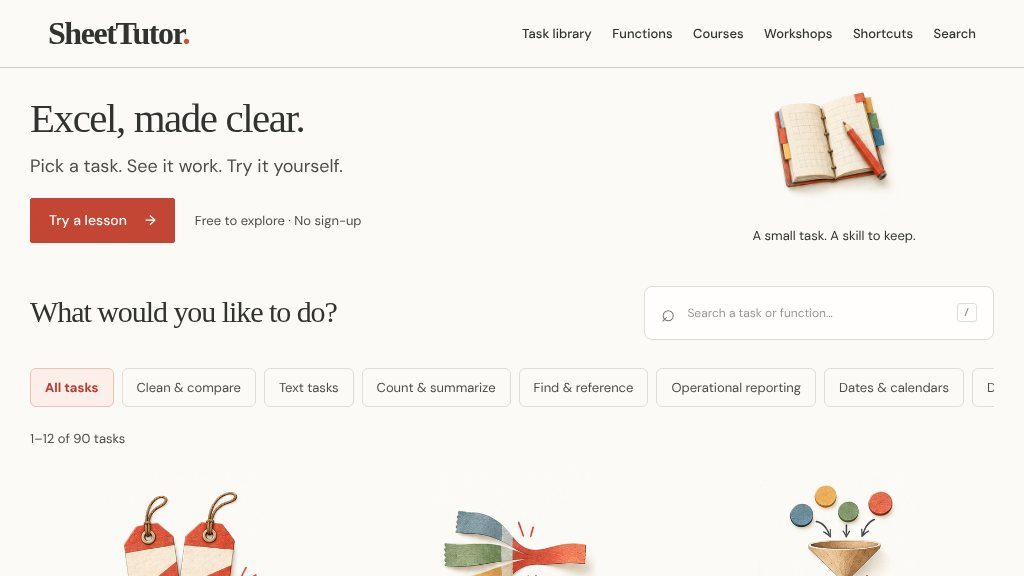
Someone working through a spreadsheet problem—cleaning imported data, finding duplicates, building a lookup, or preparing a report—may want more than a definition of an Excel function. SheetTutor is designed around that practical need. Its visible page invites visitors to pick a task, see a working example, and try the process themselves, making it closer to a task-based learning resource than a conventional course catalog.
The site presents itself as free to explore and says no sign-up is required. That lowers the barrier for someone who wants to test a lesson before committing time to a larger learning path. The available evidence does not establish whether all lessons are completely free, however, so visitors should confirm the access terms directly.
Key Areas to Explore
The task library shows 90 Excel-related activities, with 12 visible in the supplied page excerpt. Topics are grouped into practical areas such as:
- Cleaning and combining data:
TRIM,CLEAN, text joining, and converting imported text into numbers - Counting and summarizing:
SUMIFS,COUNTIFS,SUMPRODUCT, and conditional averages - Lookups and decisions: exact-ID lookups with
XLOOKUP,IF, andIFERROR - Reporting and analysis: dynamic arrays, grouped formula reports, statistical decisions, and operational reporting
- Dates, finance, and data structures: calendars, loan cash flows, depreciation, regression, probability, and array reshaping
Lessons appear to include an estimated duration and a progression label such as Starter or Growing. Examples range from roughly five to ten minutes, which may suit focused practice during a work session rather than a long lecture.
Strengths
- Task-based lessons cover common Excel work such as cleaning, lookups, conditional summaries, and reporting
- Interactive practice and visual explanations are presented alongside working examples
- A broad library lists 90 tasks across formulas, arrays, statistics, dates, finance, and data reconciliation
- The site states that visitors can explore without signing up
Cons
- The available evidence does not confirm formal certificates, instructor support, or progress tracking
- Excel-version compatibility, accessibility details, and the depth of each lesson should be verified directly
- The visible excerpt does not clarify whether every task remains freely accessible
Realistic Use Cases
This resource could help a beginner learn formulas through concrete outcomes, such as counting matching records or calculating percentage change. It may also be useful to an intermediate Excel user who understands individual functions but needs practice combining them in reporting, reconciliation, or data-cleaning workflows.
The “three connected lessons” pathway suggests a guided starting point for learners who prefer sequence over browsing. At the same time, the category filters and task list appear useful for returning directly to a specific spreadsheet problem.
Who It Is For
SheetTutor is a plausible fit for self-directed Excel learners, office workers building confidence with formulas, and users who prefer visual explanations and hands-on exercises. It may be less suitable for someone seeking formal certification, instructor support, or a clearly documented full curriculum; the supplied page evidence does not confirm those offerings.
What Comes Next
Before relying on it for a larger training plan, check the site for lesson depth, supported Excel versions, accessibility, progress tracking, and whether completion records or certificates are available. Based on the visible material, its likely strength is practical, example-led Excel practice with a broad task range and a low-friction starting point.
Embeds
Copy short script widgets for this listing. People often use Textfrog to search for their next personal or work tool. Encourage your community to leave reviews on Textfrog.
Review widget
A clean review badge with stars and review count.
Featured badge
A compact badge for products listed on Textfrog.
Similar Tools

HSK mock tests on the 2026 HSK 3.0 syllabus: timed exams, instant scores, explan...
Explore the free five-step AI method, planned live workshops and a focused Build...
World's first AI Tutor for kids that is tailored to your child's learning style ...
Tech U is a modern learning platform offering industry-focused technology course...
Featured Links
Eduify is an online education platform that provides tools and resources for lea...
Order followers, likes and views across every network. Prepaid wallet, automatic...