
Tap Metronome Review: Free Online BPM Tool with Tap Tempo and Practice Timer
Design & Creative ToolsDescription
Free online metronome with tap tempo. with practical details for online visitors.
Understanding the Service
A musician might arrive at Tap Metronome while practicing a difficult passage, trying to identify the tempo of a song, or looking for a metronome that works immediately in a browser. The site combines a tap-tempo tool with a conventional adjustable click, so visitors can either tap along to estimate a song’s BPM or enter a specific tempo for structured practice.
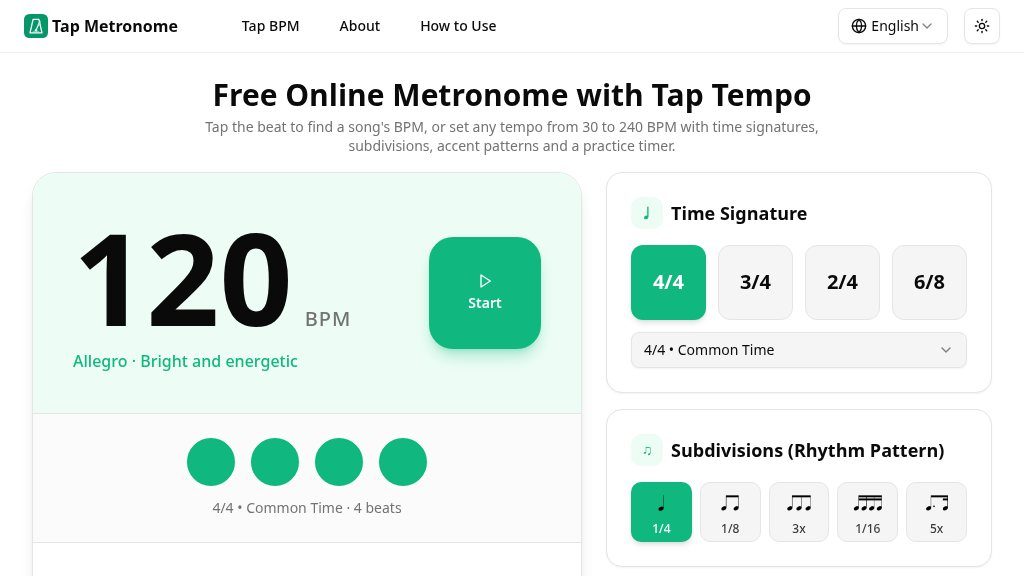
The page describes a free online metronome with tempo settings from 30 to 240 BPM. Its main interface includes tempo adjustment buttons, direct BPM control, a visual beat indicator, and a play function. Because the click is generated in the browser with the Web Audio API, the tool is designed for immediate web use rather than requiring a separate desktop or mobile installation. The page also states that tapped or played information is not uploaded.
Key Areas to Explore
The useful detail is in the rhythm controls rather than the basic click alone. Players can choose 2/4, 3/4, 4/4, or 6/8 time, then select quarter notes, eighth notes, or triplet subdivisions. Accent options include no accent, a straight 4/4 pattern, and a march-style 2+2 pattern. Volume control and selectable click or woodblock sounds provide some flexibility for different practice environments.
A built-in timer offers 5-, 10-, 15-, and 30-minute sessions. There are also quick tempo presets, including 60, 70, 80, 110, 120, and 140 BPM, with broad descriptions such as ballad, pop, rock, or standard practice. The instrument guidance is similarly practical, giving example ranges for guitar, piano, and drums rather than treating one tempo as suitable for every player.
Strengths
- Tap-tempo input and direct BPM controls support both song estimation and deliberate practice.
- Time signatures, subdivisions, accents, sounds, volume, and a practice timer offer useful rhythm customization.
- Preset tempos and instrument-specific guidance make it easier to choose a starting speed.
- Iframe embedding allows a configured metronome to be added to a lesson or website page.
Cons
- The page does not show advanced recording, notation, progress tracking, or rhythm-programming features.
- The stated tempo range is inconsistent in the page copy, which lists both 30–240 and 40–240 BPM.
- The available sound and accent choices appear practical but relatively limited for specialized rhythm training.
Realistic Use Cases
This is a sensible fit for scale work, chord changes, strumming, rudiment practice, and gradual tempo building. A player can begin slowly, maintain consistent timing, and increase the BPM in small steps. The tap function is more useful for estimating a song’s pulse than for replacing a full tempo-analysis workflow, so visitors should treat the resulting BPM as a starting point and adjust it by ear.
The embed option may also suit teachers or site owners who want to place a configured metronome on a lesson page. It provides iframe code and settings for tempo, time signature, accent pattern, and theme, although users should verify that the embedded presentation works with their own site.
Who It Is For and What Comes Next
Tap Metronome is aimed at musicians, music students, instructors, and anyone needing a quick browser-based timing reference. It is less clearly suited to users seeking advanced recording, notation, analytics, or extensive rhythm-programming features; those capabilities are not shown in the supplied page evidence.
A practical next step is to choose the meter and subdivision required by the piece, set a comfortable starting BPM, and test the sound and volume before beginning a timed session. Also note that the page gives both a 30–240 BPM description and a 40–240 BPM instruction, so visitors working at the extreme low end should confirm the available control directly.
Embeds
Copy short script widgets for this listing. People often use Textfrog to search for their next personal or work tool. Encourage your community to leave reviews on Textfrog.
Review widget
A clean review badge with stars and review count.
Featured badge
A compact badge for products listed on Textfrog.
Similar Tools
Discover free printable coloring pages for kids: animals, dinosaurs, flowers, ho...
Create custom printable mazes for kids & adults! with practical details for onli...
Browse free printable coloring pages for kids and adults. with practical details...
Put designs on 1300+ products with Printify. with practical details for online v...
Featured Links
Eduify is an online education platform that provides tools and resources for lea...
Setvo: your workouts, your progress, your space. with practical details for onli...