Statement Converter
Xargaar Tools Statement Converter: Browser-Based Bank File Conversion

Open a workbook, make your changes, and get back to work. with practical details for.
Added November 4, 2026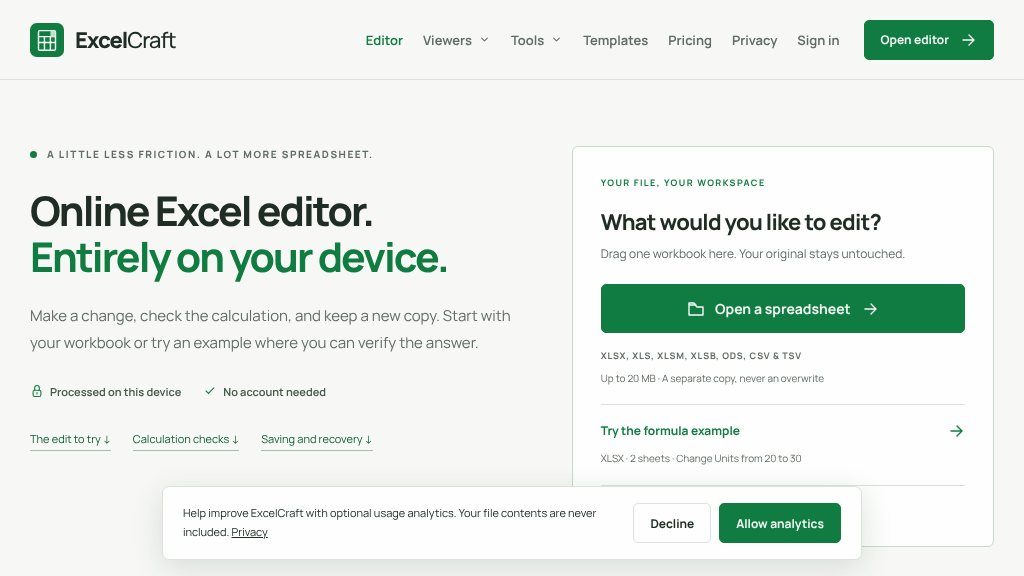
Editing a spreadsheet does not always require a full desktop suite or a cloud workspace. ExcelCraft is designed for a narrower workflow: open an existing workbook in the browser, make a contained change, check the result, and download a separate copy. The site says files are processed on the device, with no account or email required, while the original workbook remains untouched.
That approach may suit users who need a quick local edit rather than ongoing collaboration. It also provides a formula example and small-business templates, including invoice tracking and expense tracking workbooks, so visitors can inspect the editing process before using their own file.
The editor accepts XLSX, XLS, XLSM, XLSB, ODS, CSV, and TSV files up to 20 MB. A typical workflow is straightforward:
The page demonstrates this process with a fictional sales workbook, where changing a units value updates total revenue. It also describes support checks involving multiple worksheets, cross-sheet references, dates, merges, charts, formatting, SUMIFS, dropdowns, and formula-based conditional formatting. These examples indicate practical coverage, but they do not establish compatibility with every Excel function.
ExcelCraft is not presented as Microsoft Excel. It uses the open-source GridCraft engine, and the page identifies the project as being in alpha. The site reports that 11 XLSX files completed a basic open-edit-export-reopen round trip, while also noting font changes in some samples. Unsupported functions, external dependencies, VBA, workbook objects, and complex formatting may require checking in the original spreadsheet application.
An internet connection is needed to load the site and its editing engine. There is no automatic cloud recovery, so downloading the revised copy is an essential part of the workflow. The 20 MB limit is an entry limit rather than a promise that every complex workbook will perform reliably.
This tool appears most suitable for bounded edits to local spreadsheets, especially when avoiding an account or upload-based cloud workflow matters. It is less suitable as a replacement for desktop Excel, shared online workbooks, offline use, or files that depend on VBA and advanced features.
Before relying on it, confirm that your formulas, formatting, charts, and workbook objects survive export. Keep the original file, compare important totals, and inspect formula text as well as displayed results.
Copy short script widgets for this listing. People often use Textfrog to search for their next personal or work tool. Encourage your community to leave reviews on Textfrog.
A clean review badge with stars and review count.
A compact badge for products listed on Textfrog.
Xargaar Tools Statement Converter: Browser-Based Bank File Conversion
Save Gmail Emails as PDF in Bulk for Chrome and Edge
Wire Fill Chart & Conduit Fill Calculator for NEC 2023
Bulk Material Calc: Outdoor Project Material Calculators