
Reverse Engineering Anything (REA): Setup Guides, CLI Reference, and AI-Assisted Analysis
OtherDescription
Explore Reverse Engineering Anything with REA setup tutorials, Claude Code and Codex integrations, CLI commands, and source-linked case studies.
A Closer Look
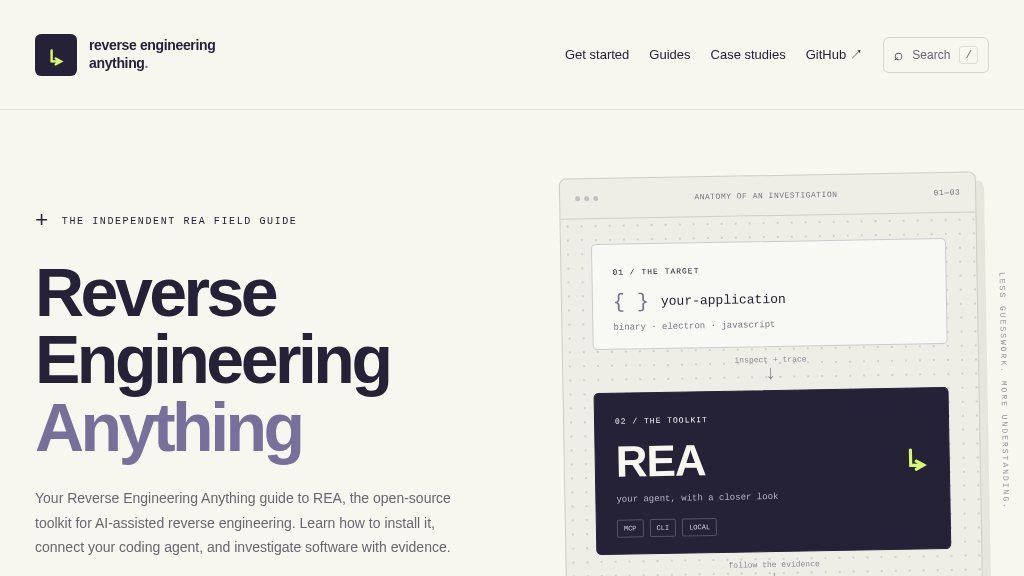
Listed under Trending & New, Reverse Engineering Anything is part of a category where visitors often discover emerging developer tools before their workflows and documentation are widely familiar. That context matters here: this website is not simply a product landing page, but an independent field guide to REA, an open-source toolkit for AI-assisted reverse engineering. It brings setup instructions, agent integration notes, command references, troubleshooting guidance, and case studies into one place.
The material is aimed at readers who want to understand software behavior with supporting evidence rather than rely on guesswork. The site also repeatedly frames investigations around applications the visitor is authorized to examine, an important boundary for this type of technical work.
Core Offering
REA connects an AI coding agent with tools that inspect software, trace features, and return findings with source or analysis evidence. The guide describes two main working styles: using MCP through a compatible coding agent or working directly from the command line. Examples reference Claude Code, Codex, Cursor, and Gemini CLI, while the setup flow uses Node.js, npm, and an agent-specific configuration step.
The guide covers static inspection of application artifacts, modules, symbols, and native instructions. It distinguishes between JavaScript or Electron analysis and native binary work, where an additional provider such as Ghidra, Hopper, or IDA may be required. Because those providers differ in supported formats, host requirements, and licenses, visitors should verify compatibility before planning a native investigation.
Strengths
- Combines setup, agent integration, CLI, troubleshooting, and case-study material in one guide
- Emphasizes source-linked evidence and clearly separates illustrative workflows from recorded results
- Supports MCP and direct command-line approaches across several named coding agents
- Explains the distinction between JavaScript/Electron inspection and native binary analysis
Cons
- Native analysis may require a separate compatible provider with its own format, host, and licensing requirements
- The site is an independent guide, so current releases and package details should be confirmed through the official REA repository
- Effective use still requires focused technical questions, local application access, and user verification of findings
Practical Workflows
The strongest part of the resource is its emphasis on bounded questions. A sample workflow examines an Electron application's CSV export behavior by identifying the entry point, tracing transformations and file-writing logic, and then testing an independent implementation against cases such as commas, quotation marks, empty values, and line breaks.
The supporting guides include installation and first-run instructions, agent-specific setup, CLI commands for diagnostics and analysis, and troubleshooting for missing MCP tools or provider issues. Official case studies offer additional examples of examining behavior beneath an interface, including a native game-preservation investigation.
Best-Fit Users
This directory entry is most relevant to developers, security or software researchers, maintainers replacing unavailable source functionality, and technically curious users working with local applications. It is less suitable for someone seeking a turnkey visual reverse-engineering suite or a general programming tutorial.
Balanced Takeaway
Reverse Engineering Anything is worth investigating if you need a structured starting point for REA and prefer workflows that separate confirmed findings from inference. The website does not remove the need for technical judgment, compatible analysis providers, or authorized access to the target. Visitors should review the current official repository, package links, provider requirements, and agent compatibility before proceeding.
Embeds
Copy short script widgets for this listing. People often use Textfrog to search for their next personal or work tool. Encourage your community to leave reviews on Textfrog.
Review widget
A clean review badge with stars and review count.
Featured badge
A compact badge for products listed on Textfrog.
Similar Tools
Create beautiful cursive text online with 52 free cursive fonts. with practical ...
Find the best companies, protocols, and apps building on Solana. with practical ...
Get today’s verified Spotle answer or reveal hints one at a time. with practic...
Tukar ayat Rumi ke tulisan Jawi serta-merta mengikut ejaan DBP. with practical d...
Featured Links
Setvo: your workouts, your progress, your space. with practical details for onli...
Eduify is an online education platform that provides tools and resources for lea...