
Text Compare: Private Online Text Diff Checker for Documents and Code
Developer & API ToolsDescription
Compare two texts online and see every difference highlighted instantly. with practical details for online.
What It Appears to Do
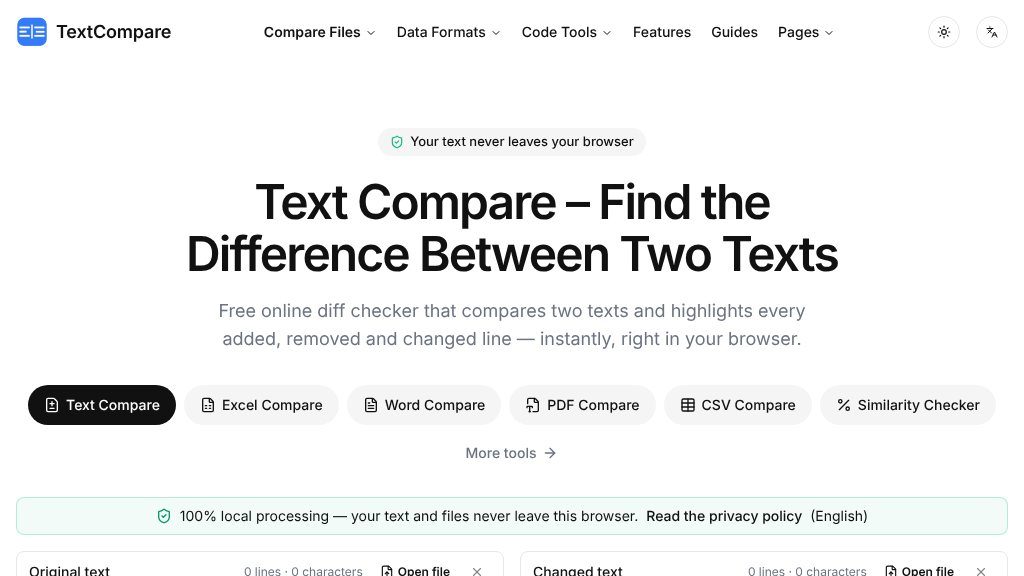
A common comparison task starts with two nearly identical versions: a revised contract clause, an edited article, a translated paragraph, a configuration file, or a small block of code. Text Compare is designed for that moment. It places two text versions side by side, identifies what was added, removed, or changed, and makes the differences visible without requiring a desktop application or development environment.
The page describes itself as a free online diff checker, but the comparison is presented as a local browser operation. According to the visible information, text and files are not uploaded, stored, or logged. That makes the tool relevant when privacy matters, although visitors handling especially sensitive material should still review the site’s privacy policy and their own browser environment.
How the Experience Is Organized
The interface uses an original-text box and a changed-text box. Users can paste content into each area or drag and drop .txt files, then select Compare or use the Ctrl/⌘ + Enter shortcut. Results can be viewed in either a side-by-side layout with aligned lines or an inline, unified presentation.
A compact set of controls helps refine the result. Users can switch between line-, word-, and character-level comparisons, while the page reports lines, words, and characters. Changes are color-coded: additions appear in green, removals in red, and modified content in yellow.
Strengths
- Browser-local comparison keeps pasted text and supported files off the stated server workflow.
- Line, word, and character views help reveal both structural and very small edits.
- Preprocessing, merge, and export controls support review beyond simple highlighting.
- Side-by-side and inline layouts accommodate different comparison preferences.
Cons
- The visible information does not specify maximum text size or browser compatibility.
- File input is explicitly described for .txt files, so other document formats may require separate tools.
- Visitors should review the privacy policy and local browser context before using the tool for highly sensitive material.
Notable Capabilities
- Local processing in the browser, with no stated upload, storage, or logging of comparison content.
- Preprocessing options to ignore case, whitespace, or line endings, sort lines, and remove empty lines.
- Merge controls described as git-style, allowing users to assemble a combined version from the two inputs.
- Export options for PDF, spreadsheet, and PNG image output.
- Web Worker support intended to keep the page responsive when comparing larger texts.
Where It May Fit
This is a practical match for writers, editors, developers, translators, legal reviewers, and anyone checking whether a returned document differs from an earlier copy. It may also serve as a lightweight alternative to comparing text manually or opening a full code-review workflow for a small change.
What to Verify
The supplied page does not state a maximum text or file size, supported browsers, or how exported files are generated locally. Those details are worth confirming before relying on it for very large documents or formal review processes. The visible file workflow specifically mentions .txt files; other document formats appear to be handled by separate comparison tools listed on the site.
Overall, Text Compare presents a focused, privacy-conscious way to inspect differences in plain text, code, and document passages. Its multiple comparison levels, preprocessing controls, merging, and export features make it more capable than a basic visual checker, while the unreported size and compatibility limits merit a quick check for specialized use.
Embeds
Copy short script widgets for this listing. People often use Textfrog to search for their next personal or work tool. Encourage your community to leave reviews on Textfrog.
Review widget
A clean review badge with stars and review count.
Featured badge
A compact badge for products listed on Textfrog.
Similar Tools
Free online keyboard tester for Windows, Mac, and laptops. with practical detail...
Convert JPG to PDF free in your browser. with practical details for online visit...
Free football data API for developers: fixtures, live scores, standings, teams, ...
Your agent built the site; let it finish the forms. with practical details for o...
Featured Links
Eduify is an online education platform that provides tools and resources for lea...
Setvo: your workouts, your progress, your space. with practical details for onli...