
FreyaVideo Animate Photo AI: Turn Images into Short Videos
Ai Image & Video ToolsDescription
Animate photo or animate picture files with AI. with practical details for online visitors.
Understanding the Service
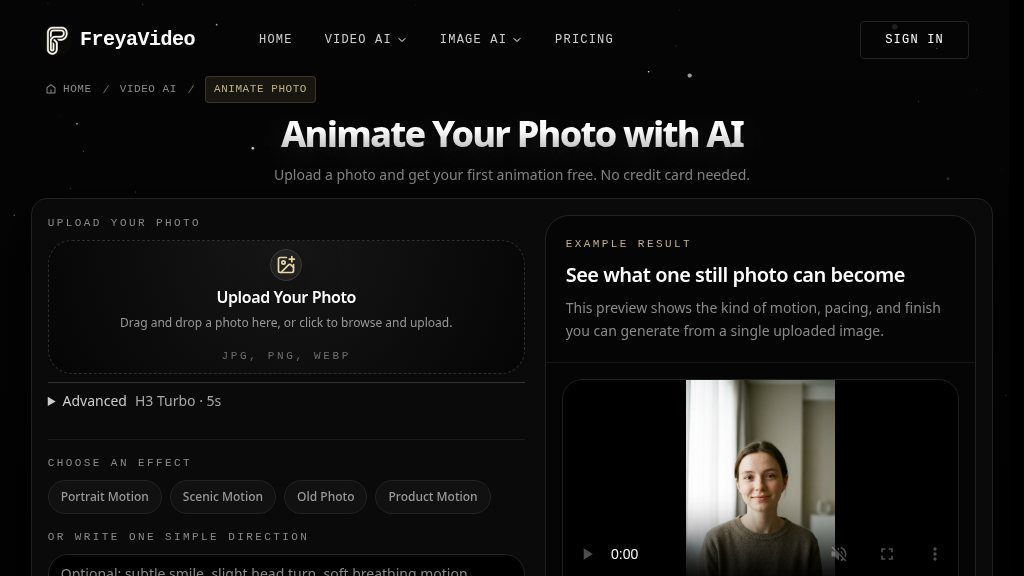
Someone with a single portrait, product image, landscape, or scanned photograph may want to add motion without opening a full video editor. FreyaVideo’s Animate Photo AI page is built for that situation: upload a JPG, PNG, or WebP image, describe a short movement, and generate an image-to-video clip online.
The entry point is relatively straightforward. The page offers one free animation without requiring a credit card, using the H3 Turbo model and a five-second duration. Paid credit packs, shown from $9.00, unlock additional model choices, including Kling 3.0, Seedance 2.5, Seedance 2.0, and Veo 3.1. Visitors should confirm the current credit consumption, output limits, and model availability before relying on the service for regular production work.
Key Areas to Explore
The workflow combines preset effects with a short natural-language direction. Available categories include Portrait Motion, Scenic Motion, Old Photo, and Product Motion, which gives new users a starting point without requiring a detailed prompt. A full editor is also referenced for people who need more control.
The examples indicate that the intended result is restrained movement that remains close to the source image. Portraits may receive subtle facial or breathing motion, landscapes can gain drifting clouds or moving water, and product images may use rotation, depth, or highlight effects. These are described examples rather than a guarantee of identical results for every upload.
Supported models may also generate ambient or synced audio, according to the page. That capability appears model-dependent, so it is worth checking which model and credit option includes it. The page references a default vertical 9:16 output and a three-second delivery in one workflow section, while the main generator presents five seconds as the free animation duration. Visitors should verify the final duration and aspect-ratio settings at generation time.
Strengths
- Free first animation without a credit card
- Accepts JPG, PNG, and WebP uploads
- Preset effects plus short text directions for motion
- Offers multiple video models through credit packs
- Supports different photo types, including portraits, products, landscapes, and old photos
Cons
- The free workflow is limited to the H3 Turbo model and presents a five-second duration
- Model-dependent audio support and differing duration references should be verified before use
- Advanced control appears to require the full editor or paid access
Realistic Use Cases
This tool could be useful for creating short social posts, memory clips from old photos, product teasers, landing-page visuals, or quick creative tests. It is more suitable for adding controlled motion to an existing image than for building a multi-scene production with a conventional timeline.
Who It Is For
FreyaVideo may appeal to marketers, small businesses, social creators, and casual users who want a quick image-to-video experiment. The free first generation lowers the barrier to testing, while pay-per-use credits may suit occasional projects. Users needing precise keyframes, extensive editing, or predictable high-volume output should investigate the full editor and current plan details before committing.
What Comes Next
The practical next step is to test a clear image with a modest motion instruction and compare the result across the available models. FreyaVideo is worth investigating when speed and simplicity matter; its suitability for demanding workflows depends on the actual output consistency, credit economics, and controls available after the initial free animation.
Embeds
Copy short script widgets for this listing. People often use Textfrog to search for their next personal or work tool. Encourage your community to leave reviews on Textfrog.
Review widget
A clean review badge with stars and review count.
Featured badge
A compact badge for products listed on Textfrog.
Similar Tools
Discover what suits you with seasonal color analysis, a free color season quiz, ...

Upload a photo and star in the Crazy Frog AI trend: ride an invisible moped with...
Turn a character image into an animated sprite sheet with AI. with practical det...
Create Kling AI videos online with text to video, image to video, and motion con...
Featured Links
Setvo: your workouts, your progress, your space. with practical details for onli...
Eduify is an online education platform that provides tools and resources for lea...