
SpriteFrame Review: AI Sprite Sheet Maker and Browser-Based Animation Tools
Ai Image & Video ToolsDescription
Turn a character image into an animated sprite sheet with AI. with practical details for.
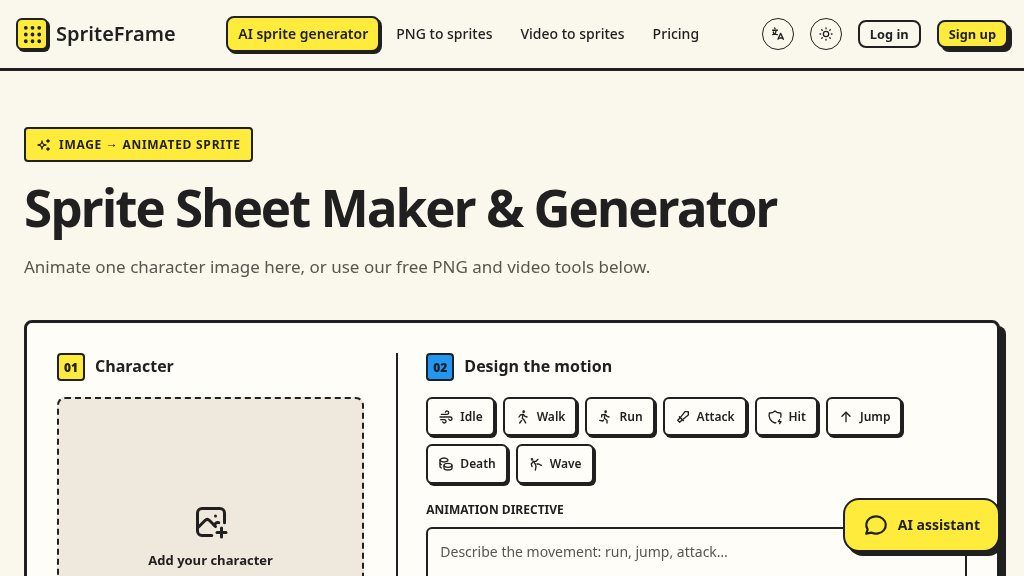
Turning a character illustration into usable game animation can involve several separate tasks: preparing frames, arranging them in the correct order, checking the motion, and exporting a sheet with timing information. SpriteFrame appears designed to bring those steps into one browser-based workflow, with separate paths for AI-generated animation and existing image or video assets.
Why It Stands Out
The main workflow starts with a single character image in PNG, JPG, or WebP format. Users can describe a movement such as idle, walk, run, attack, hit, jump, death, or wave, then choose output settings including frame count, duration, frame size, and quality. The page recommends a clear, full-body character on a pure white background and lists a 20 MB input limit.
That AI feature is only one part of the service. SpriteFrame also offers tools for combining existing PNG frames and extracting frames from an MP4 video. This makes the site relevant both to users creating animation from one reference image and to those who already have frame assets that need organizing.
How It Can Be Used
For a typical sprite-sheet workflow, a visitor can preview frame order and motion before exporting. The PNG and video workspaces can remove similar neighboring frames, help identify a loop, and adjust the export size. Existing PNG transparency is preserved, while video backgrounds remain unless the user selects AI cutout.
Exports are provided as a ZIP containing PNG sprite sheets or frame sequences, along with JSON timing data. That information can serve as a reference when setting up playback in a game engine. The site provides guides for Godot and Unity, but the JSON does not create engine project files automatically.
Strengths
- Combines AI character animation with PNG-frame assembly and MP4 frame extraction
- Browser-based PNG and video workflows can be used without an account
- Provides motion previews, frame cleanup options, sprite-sheet exports, and JSON timing data
- Supports common image formats and multiple output sizes up to 768 × 768 in the AI panel
Cons
- AI animation and AI cutout require an account and credits
- The available evidence does not describe advanced editing, batch processing, or engine project-file export
- AI and cutout workflows involve uploading source images or selected frames
Important Details
Basic PNG and MP4 processing takes place in the browser and does not require an account. AI animation and AI cutout require an account and credits; the AI animation panel displays the credit cost before processing. The page states that PNG and video tools support up to 120 frames at a time, while AI animation has its own available frame-count options.
AI animation uploads the character image, and AI cutout uploads selected frames. Anyone using the output should also confirm that they have rights to the source assets and review the applicable terms for AI-generated content.
Possible Fit and Evaluation Notes
SpriteFrame may suit independent developers, artists, and prototyping workflows that need a quick way to assemble sprite sheets without installing a dedicated utility. It is less clearly suited to teams requiring automated engine integration, project files, or advanced production controls. Before relying on it, verify the current credit terms, output behavior, and compatibility with the intended engine and animation format.
Overall, the combination of AI animation, browser-based frame tools, preview controls, and JSON timing makes SpriteFrame worth investigating for lightweight sprite preparation. Its practical value will depend on how consistently the AI output matches the source character and how much manual cleanup the exported frames require.
Embeds
Copy short script widgets for this listing. People often use Textfrog to search for their next personal or work tool. Encourage your community to leave reviews on Textfrog.
Review widget
A clean review badge with stars and review count.
Featured badge
A compact badge for products listed on Textfrog.
Similar Tools
Create Kling AI videos online with text to video, image to video, and motion con...
MangaTranslate أداة لترجمة نصوص المانجا داخل الصور...
Free online AI image cleaner: remove objects, people, text, and watermarks in yo...
Stop storyboarding. with practical details for online visitors.
Featured Links
Eduify is an online education platform that provides tools and resources for lea...
Setvo: your workouts, your progress, your space. with practical details for onli...