
Save Gmail Emails as PDF in Bulk for Chrome and Edge
Business & Productivity ToolsDescription
Save Gmail emails as PDF in bulk — free extension for Chrome and Edge. with.
The Main Idea
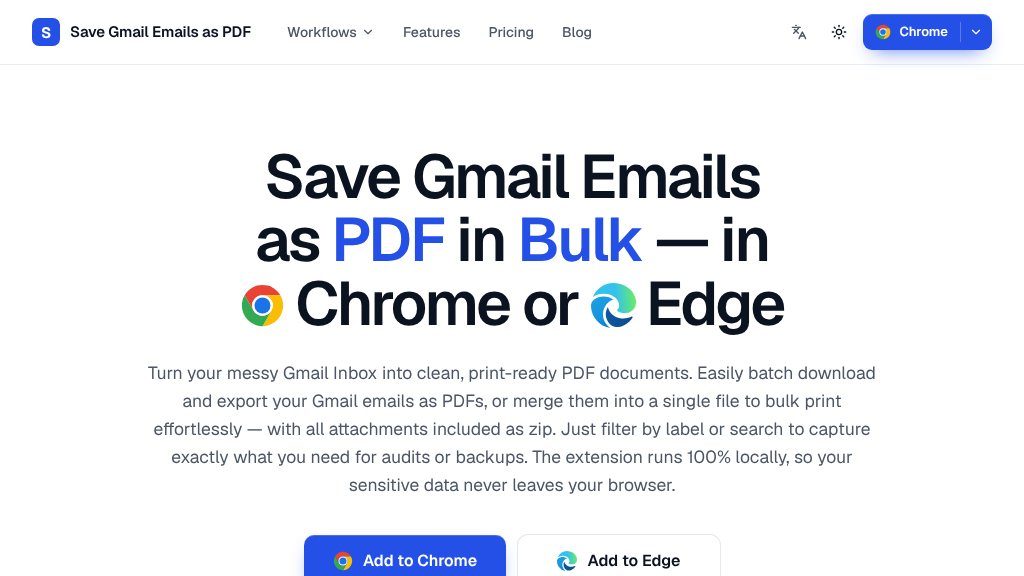
Gmail is convenient for day-to-day correspondence, but it is not always an ideal format for filing invoices, preserving approvals, preparing evidence, or printing a large group of messages. Save Gmail Emails as PDF is presented as a Chrome and Edge extension for turning selected Gmail messages into individual PDF files or combining them into one printable document.
The workflow is built around Gmail’s existing inbox tools. Visitors can select individual messages, an entire label, a sender, or a search result, then export the selection rather than opening and printing each email separately. The page also describes a separate thread-saving option for conversations where the sequence of replies matters.
What Visitors Can Explore
The website explains several practical export controls:
- Batch PDF creation for multiple Gmail messages
- Merging up to 50 selected emails into one PDF
- Filename templates using the date, sender, and subject
- Portrait or landscape orientation and common paper sizes, including A4, Letter, Legal, and Tabloid
- Attachment downloads alongside the related PDFs in a ZIP file
- Preservation of email formatting, timestamps, and inline images as presented by Gmail
A notable point in the product description is its local-processing model. It says PDFs are generated inside the browser and that email data is not uploaded. That is useful context for privacy-conscious workflows, although visitors should still review the extension’s current store permissions and privacy documentation before handling sensitive records.
Strengths
- Batch exports from Gmail labels, senders, or search results
- Can create separate PDFs or merge up to 50 messages into one file
- Filename templates and paper-size controls support organized printing and filing
- Attachments are retained as original files in a companion ZIP download
Cons
- The visible page does not detail pricing plans, permissions, or export limits beyond the stated merge limit
- Compatibility is presented for Chrome and Edge, with no evidence of support for other browsers
- Users should verify formatting and attachment handling on representative messages before relying on exports for formal records
Potential Uses
The examples on the page focus on records-heavy tasks: saving receipts and invoices, assembling client correspondence, organizing support messages, preparing audit material, and printing a case or project file. Legal, finance and accounting, real estate, HR, freelance, healthcare, and insurance professionals are identified as possible audiences. These are suggested use cases rather than evidence of formal industry certification or compliance.
Audience and Fit
This tool appears most suitable for people who already work in Gmail and need a repeatable way to archive or share email records. It may be particularly useful when messages must be grouped by label or search query, or when attachments need to remain associated with the exported email. Users wanting a broad email migration system, automated retention policy, or support for browsers beyond Chrome and Edge should investigate whether those requirements are covered.
Before You Rely on It
The visible material identifies the extension as free to start and lists Chrome Web Store and Microsoft Edge Add-ons distribution, but it does not provide a detailed plan structure, export limits beyond the stated 50-message merge limit, or information about large-mailbox performance. Test a representative set of messages first, especially threads with unusual formatting or multiple attachments. Checking the official store listing, permissions, privacy terms, and current compatibility will help confirm that the extension fits the sensitivity and volume of the records being handled.
Embeds
Copy short script widgets for this listing. People often use Textfrog to search for their next personal or work tool. Encourage your community to leave reviews on Textfrog.
Review widget
A clean review badge with stars and review count.
Featured badge
A compact badge for products listed on Textfrog.
Similar Tools
Free NEC 2023 wire fill chart and conduit fill calculator. with practical detail...
Free calculators for gravel, soil, stone, mulch, sand, volume, paver base and po...
Compare business funding offers through one short request. with practical detail...

Free online ruler for on-screen measurement in centimeters, millimeters and inch...
Featured Links
Setvo: your workouts, your progress, your space. with practical details for onli...
Eduify is an online education platform that provides tools and resources for lea...