
Xargaar Tools Statement Converter: Browser-Based Bank File Conversion
Business & Productivity ToolsDescription
Convert bank statement PDFs and CSV exports to QuickBooks, Xero, QBO, OFX, QIF or clean CSV.
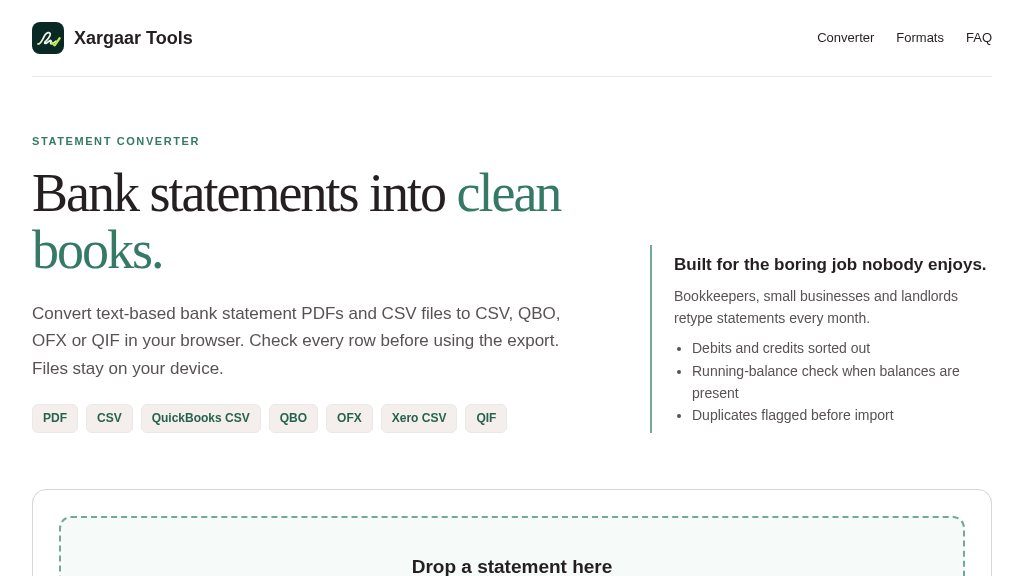
Website Overview
Bookkeepers, small businesses, landlords, and anyone preparing financial records may need to decide whether a bank statement converter can turn an awkward PDF or CSV export into a file their accounting software can use. Xargaar Tools Statement Converter is designed for that specific task. It converts text-based bank statement PDFs, CSV files, and TSV files into formats including QuickBooks CSV, Xero CSV, QBO, OFX, QIF, and clean CSV.
The tool runs in the browser, with the page stating that files are processed on the user’s device rather than uploaded. No login or account is required, and the page says the data disappears when the tab is closed. Those details may appeal to users handling sensitive transaction records, although visitors should still review the site’s behavior and their own organization’s data policies before using it for important financial work.
Experience and Functionality
The workflow is intentionally focused: drop in a statement, inspect the parsed rows, then download an export. The converter attempts to detect columns, dates, number formats, and common conventions such as comma decimals, brackets, and trailing minus signs. Users can select month-first or day-first dates, identify the statement as a bank account or credit card, and choose whether to preserve or flip signs.
A preview allows users to edit descriptions, delete rows, and correct the direction of an individual transaction. Where balance information is available, a running-balance check can help expose mismatches. Repeated rows are also flagged before export. Output settings include account type, currency code, and several formats intended for accounting or personal finance applications. Stable transaction IDs are included for compatible importers, but the page still recommends checking for duplicates in the destination software.
Strengths
- Processes statements in the browser without an upload or login step
- Supports PDF, CSV, and TSV input with several accounting-oriented export formats
- Provides row previews, balance checks, duplicate flags, and manual corrections
- Offers date, sign, statement-type, account, and currency controls
Cons
- Scanned PDFs and photos require a separate OCR step and may produce unreliable data
- Free downloads are limited to the first 100 transactions per file
- Credit-card detection and unusual or right-to-left layouts require careful manual verification
Useful Scenarios and Boundaries
This could be useful when a bank provides a text-based PDF but not a convenient accounting import file, or when a user needs to reshape an existing CSV export. Sample US and UK-style files are available for exploring the workflow without supplying a personal statement.
There are important boundaries. Scanned PDFs and photographs cannot be read directly; the page points users toward an OCR workflow first, while warning that OCR and unusual layouts can introduce errors. Real bank layouts vary, Hebrew and right-to-left documents may be unreliable, and credit-card sign detection is only a guess. The free export includes the first 100 transactions per file, with no paid upgrade shown on the page.
Final Perspective
This is a narrowly focused, privacy-conscious conversion utility with useful review and reconciliation controls. It is worth investigating for straightforward, text-based statements, especially when browser-only processing matters. Users with scanned documents, complex layouts, or more than 100 exportable transactions should verify the limits and compare every downloaded row with the original before importing.
Embeds
Copy short script widgets for this listing. People often use Textfrog to search for their next personal or work tool. Encourage your community to leave reviews on Textfrog.
Review widget
A clean review badge with stars and review count.
Featured badge
A compact badge for products listed on Textfrog.
Similar Tools
Save Gmail emails as PDF in bulk — free extension for Chrome and Edge. with.
Free NEC 2023 wire fill chart and conduit fill calculator. with practical detail...
Free calculators for gravel, soil, stone, mulch, sand, volume, paver base and po...
Compare business funding offers through one short request. with practical detail...
Featured Links
Eduify is an online education platform that provides tools and resources for lea...
Order followers, likes and views across every network. Prepaid wallet, automatic...